Toasts above native modals & bottom sheets
Show a toast above a React Native modal, form sheet, or bottom sheet, on iOS and Android.
A toast rendered inside the React view tree disappears the moment a native modal is presented: iOS puts the presented view controller above your tree, and Android opens a dialog window above it. Super Toast renders above that layer instead, so the toast stays visible and tappable while the modal is open.
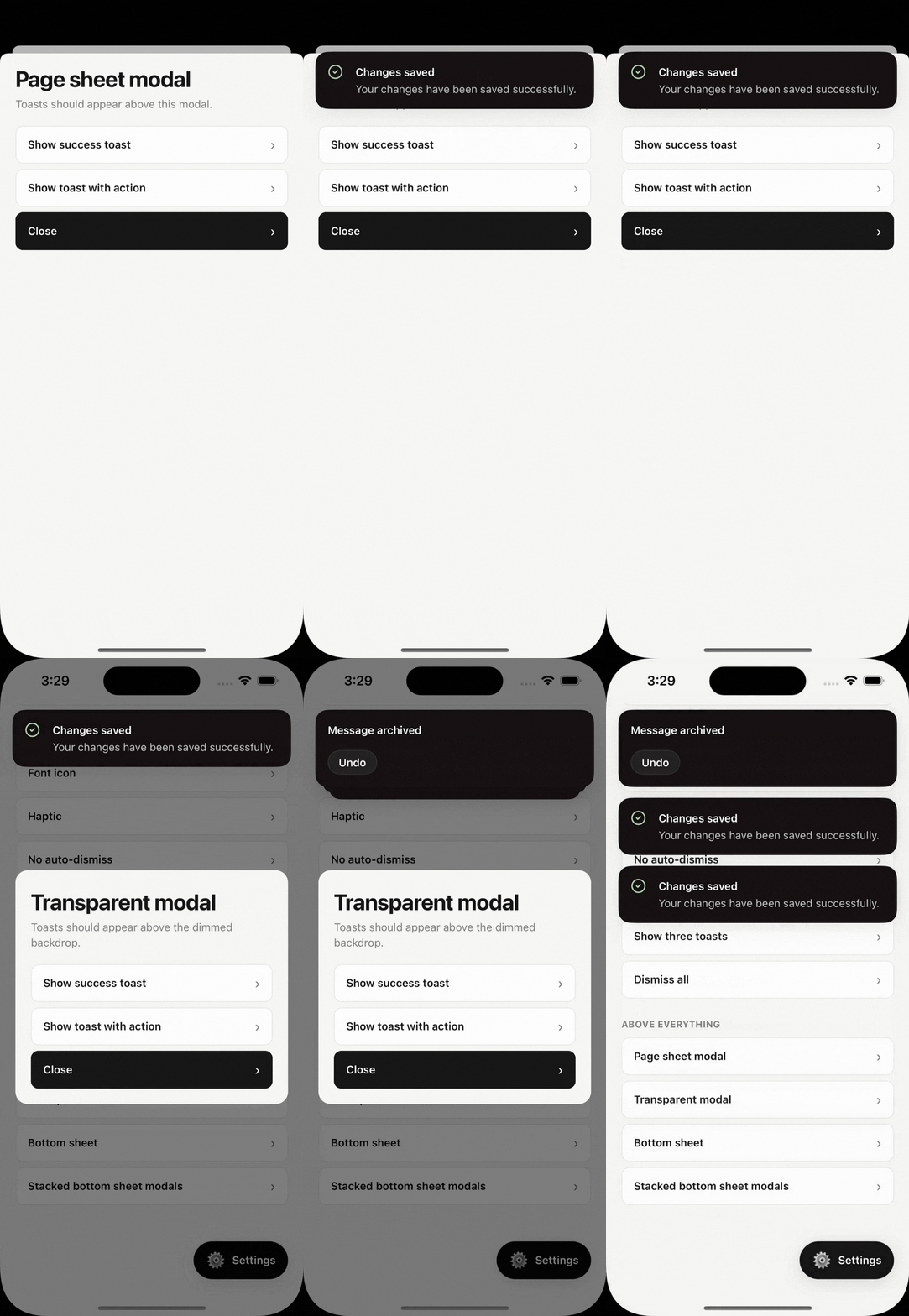
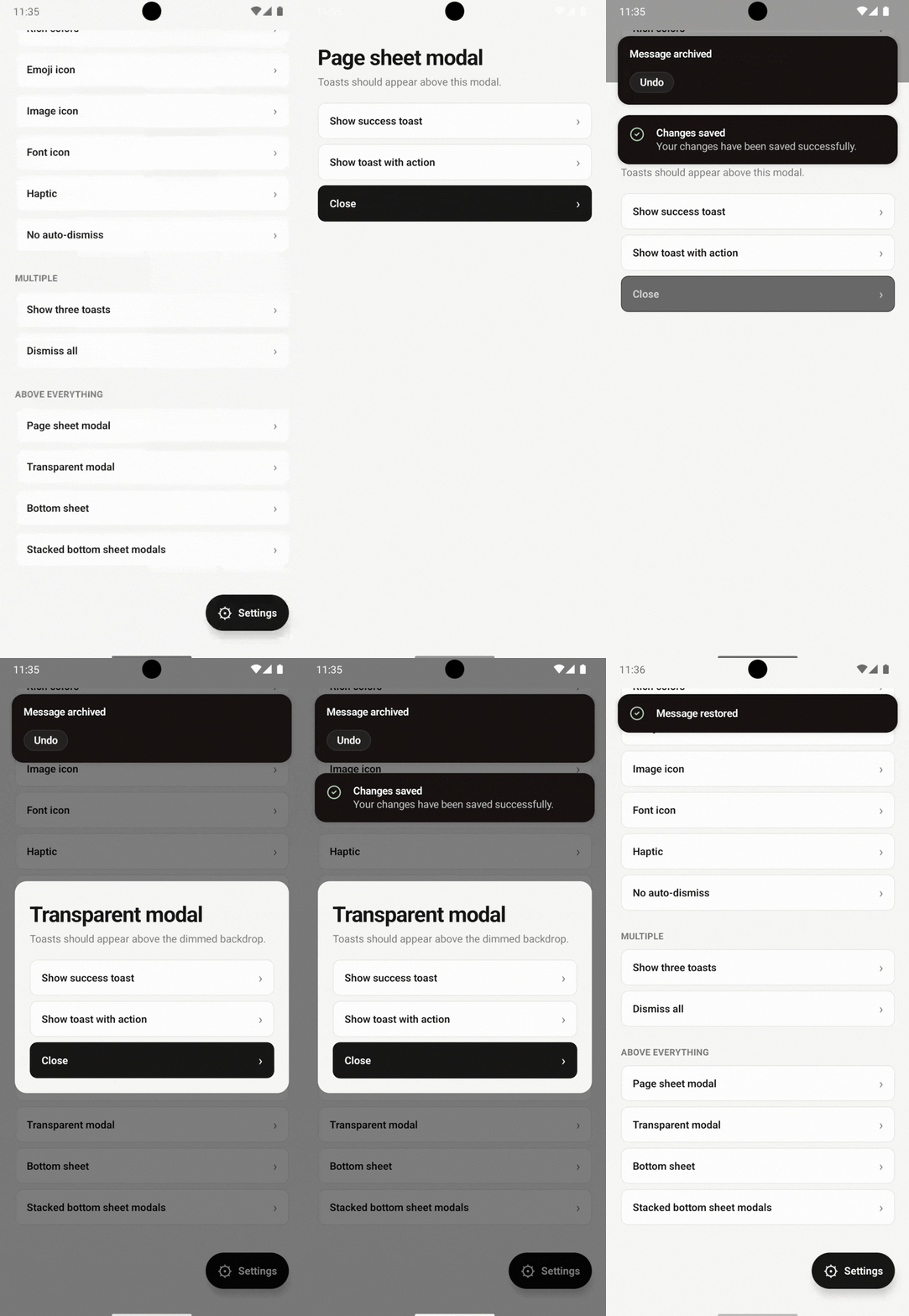
No extra setup is needed. Keep a single ToastHost at the app root and call toast() from inside the modal or sheet.
import { Modal, Button } from 'react-native';
import { toast } from 'react-native-super-toast';

function EditProfile({ visible, onClose }) {
  return (
    <Modal visible={visible} presentationStyle="formSheet" onRequestClose={onClose}>
      <Button
        title="Save"
        onPress={() => toast.success('Profile updated')}
      />
    </Modal>
  );
}
The same applies to native-stack modals and to bottom sheet libraries, including sheets stacked on top of each other.
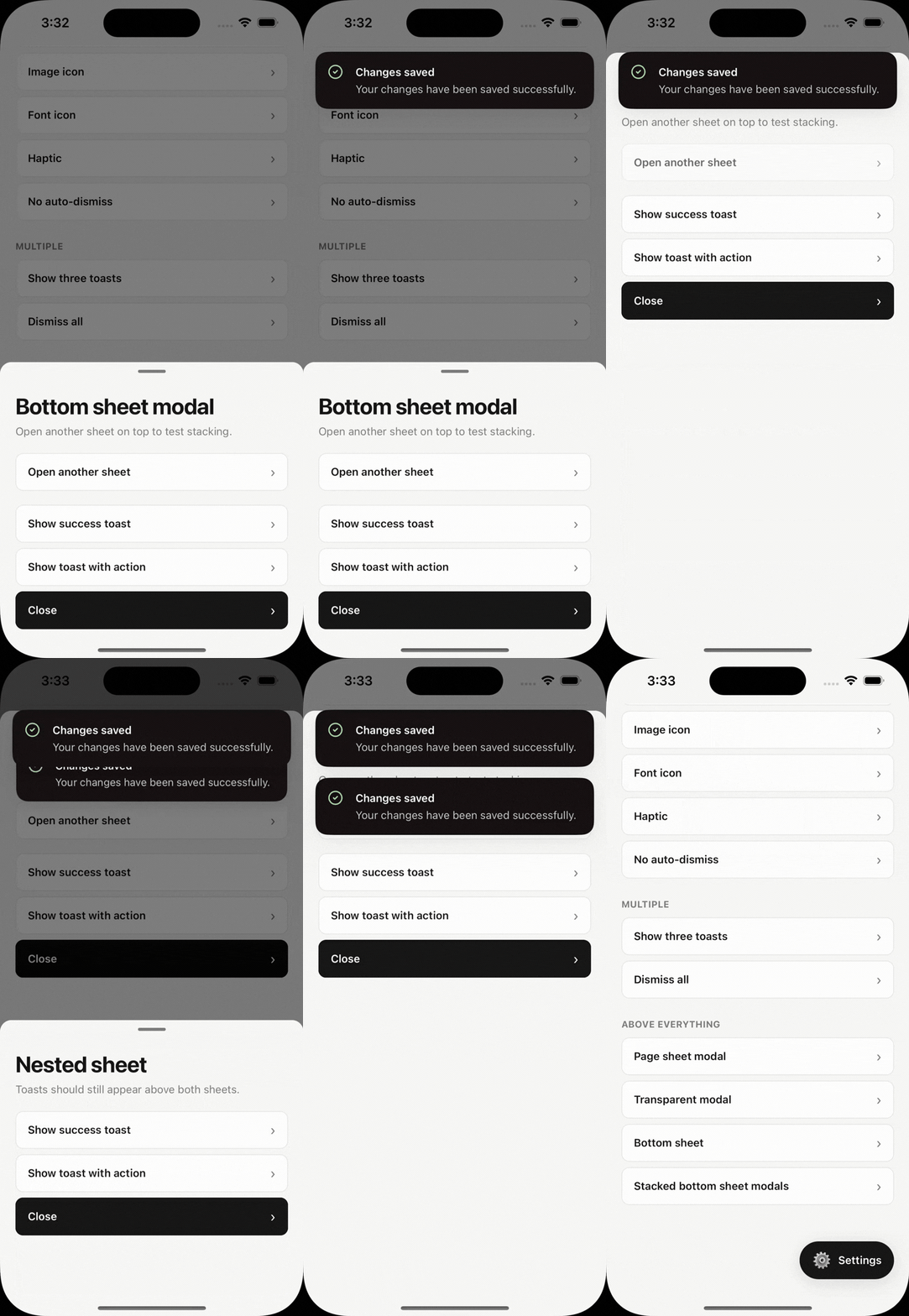
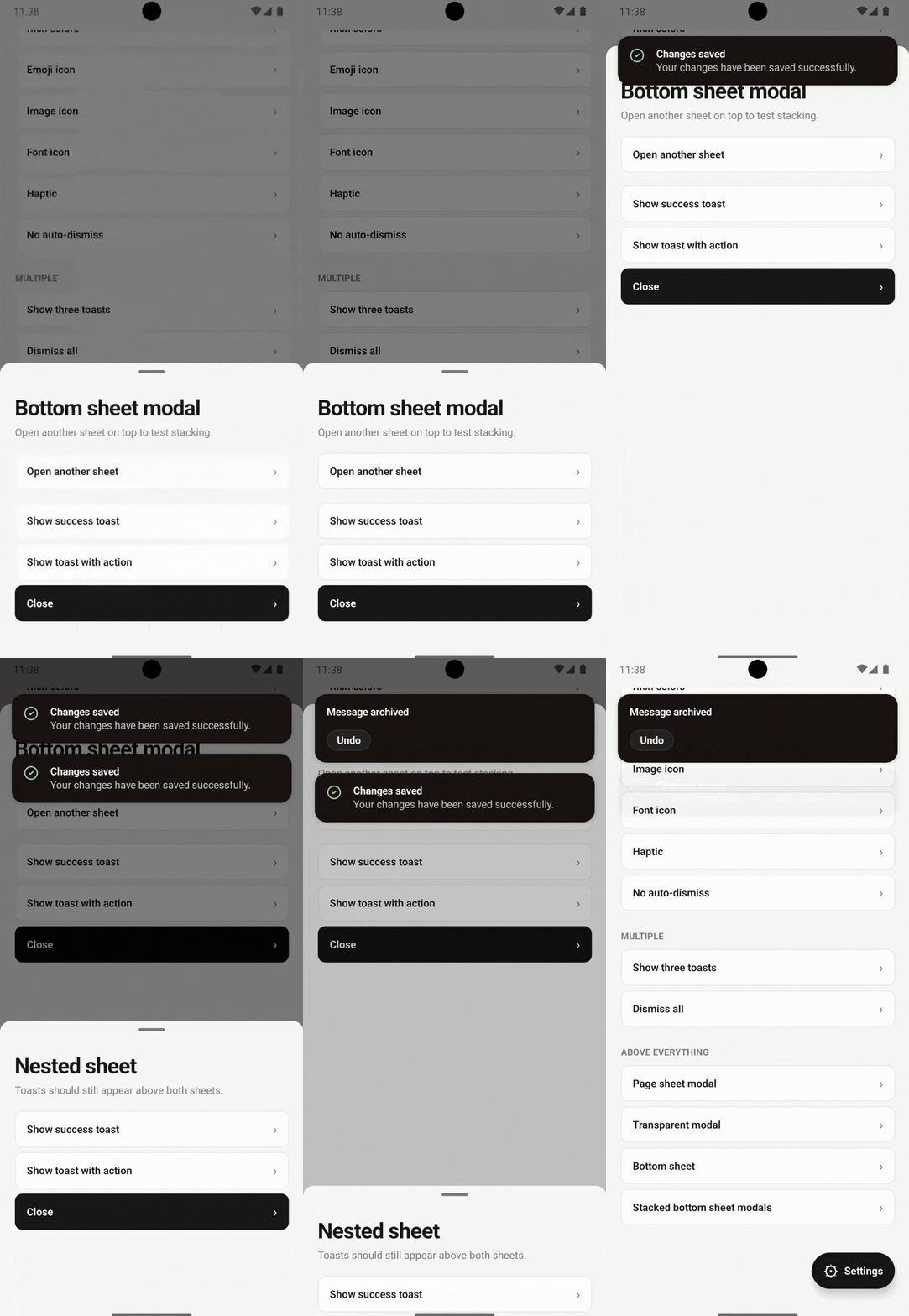
Do not render another ToastHost inside the modal. One host serves the whole app.
How it works
- iOS draws toasts in an overlay
UIWindow, above presented view controllers. - Android presents toasts in their own dialog windows, above React Native
Modaldialogs and sheet windows.
See Architecture for details, Comparison for how other toast libraries handle this, and the FAQ for shorter answers.