Toasts that render
above everything.
Native toasts for React Native. Visible over modals and bottom sheets on iOS and Android, with a tiny imperative API.
npm install react-native-super-toastComparison
Other toasts hide behind native modals.
The same Android flow in three libraries: open a page sheet modal, show a toast, then open a transparent modal and show another.
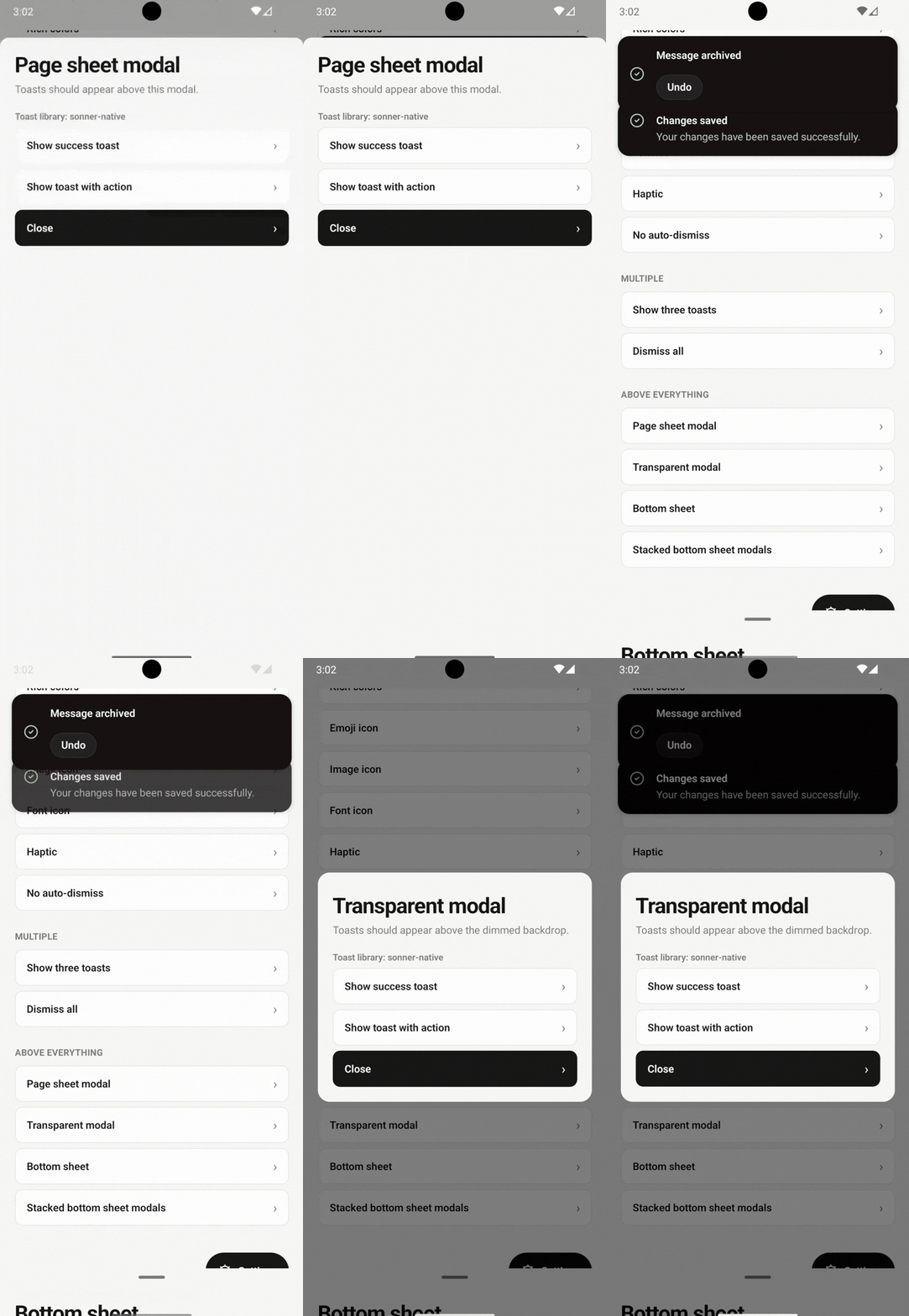
- No: Above the page sheet
- No: Above the transparent modal
- No: Actions tappable while a modal is open
Toasts sit behind the page sheet and get dimmed under the transparent modal backdrop.
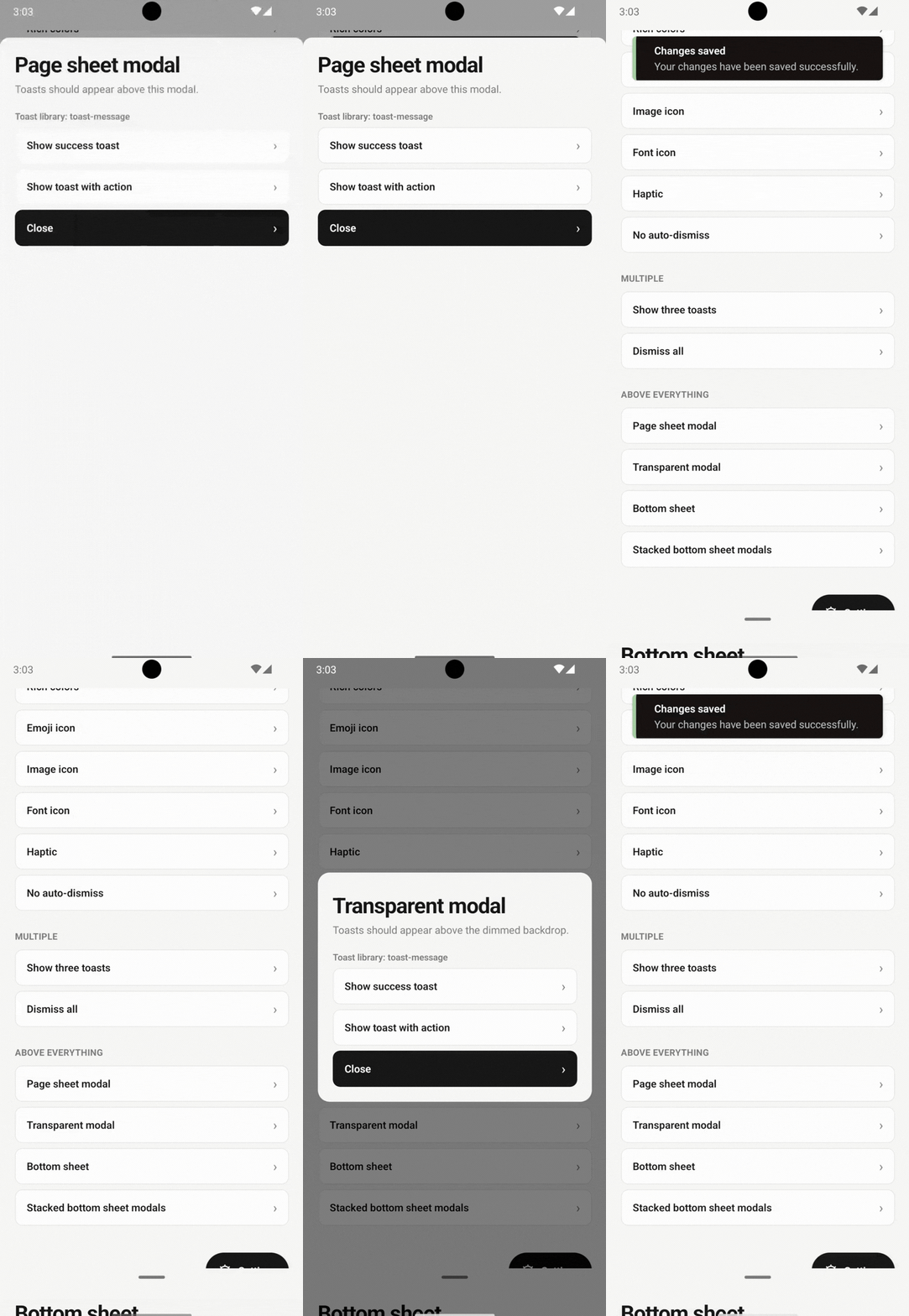
- No: Above the page sheet
- No: Above the transparent modal
- No: Actions tappable while a modal is open
Same result: the toast is covered by the sheet and dimmed by the backdrop.
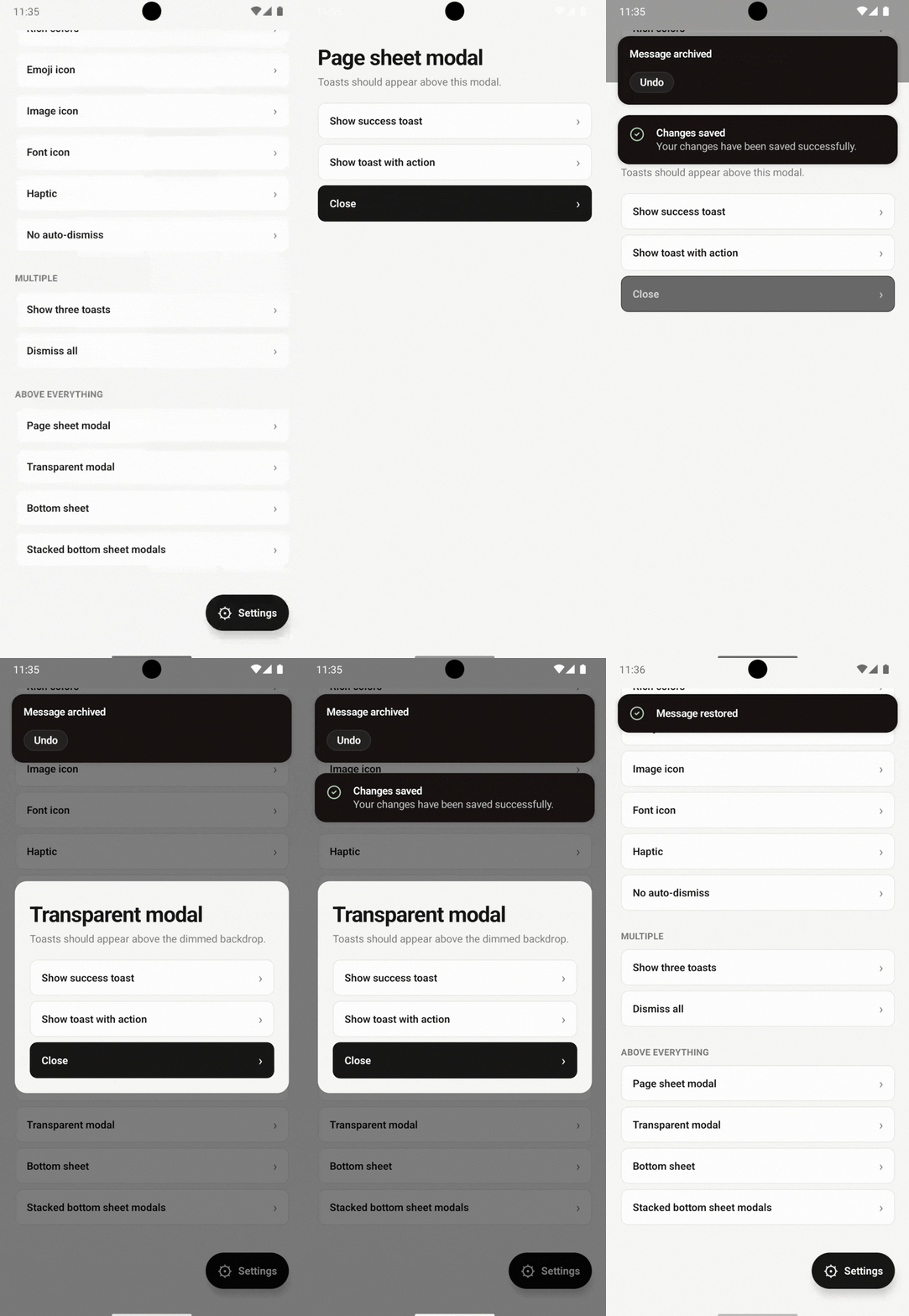
- Yes: Above the page sheet
- Yes: Above the transparent modal
- Yes: Actions tappable while a modal is open
Toasts render above both modals and stay interactive: tap actions like Undo without closing the modal.
Demos
See it on real devices.
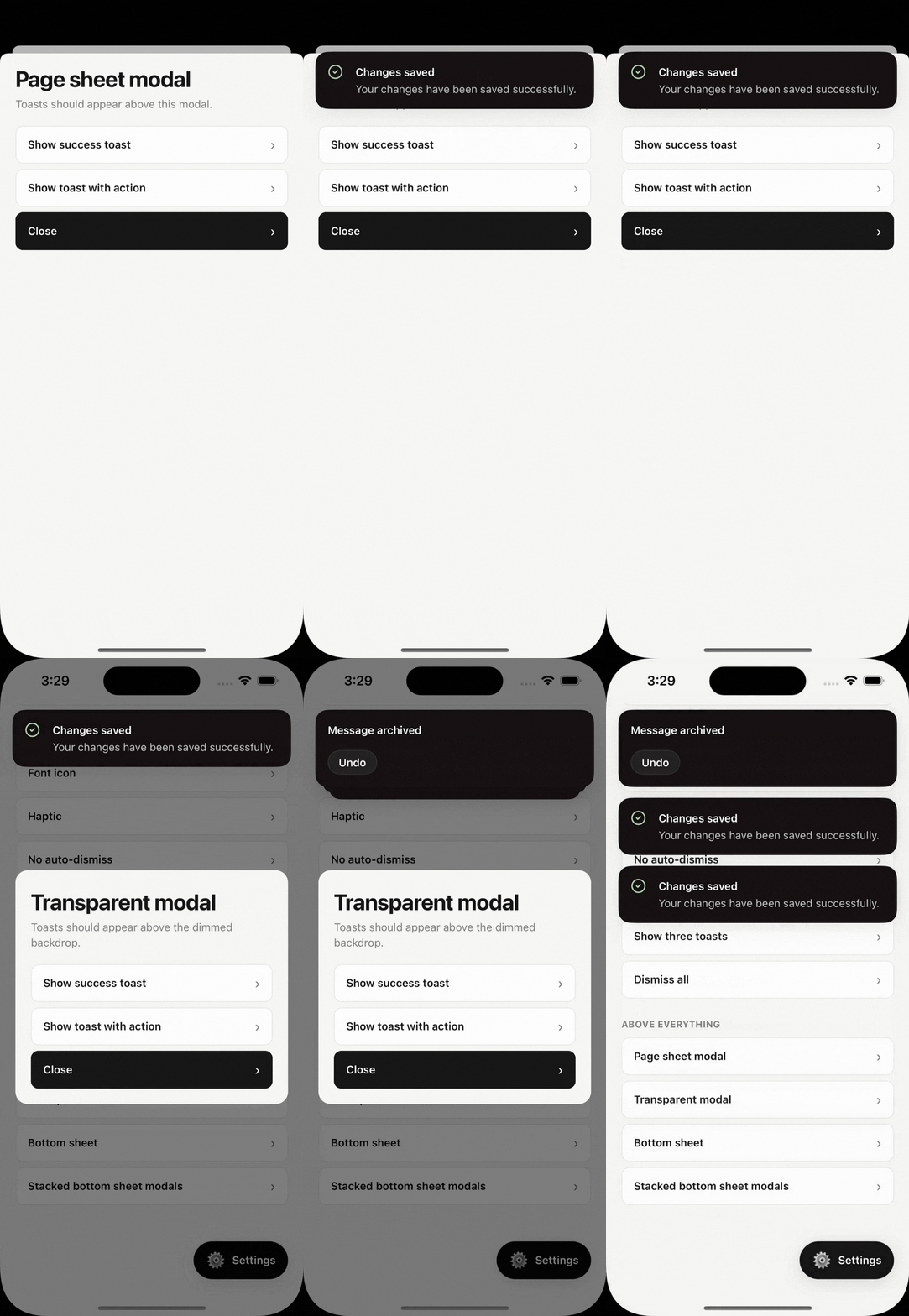
Native modal overlays
Toasts stay visible over native modals and form sheets.
In this recording
- 01A page sheet modal
- 02A transparent modal with a dimmed backdrop
- 03A toast with an Undo action on top of the modal
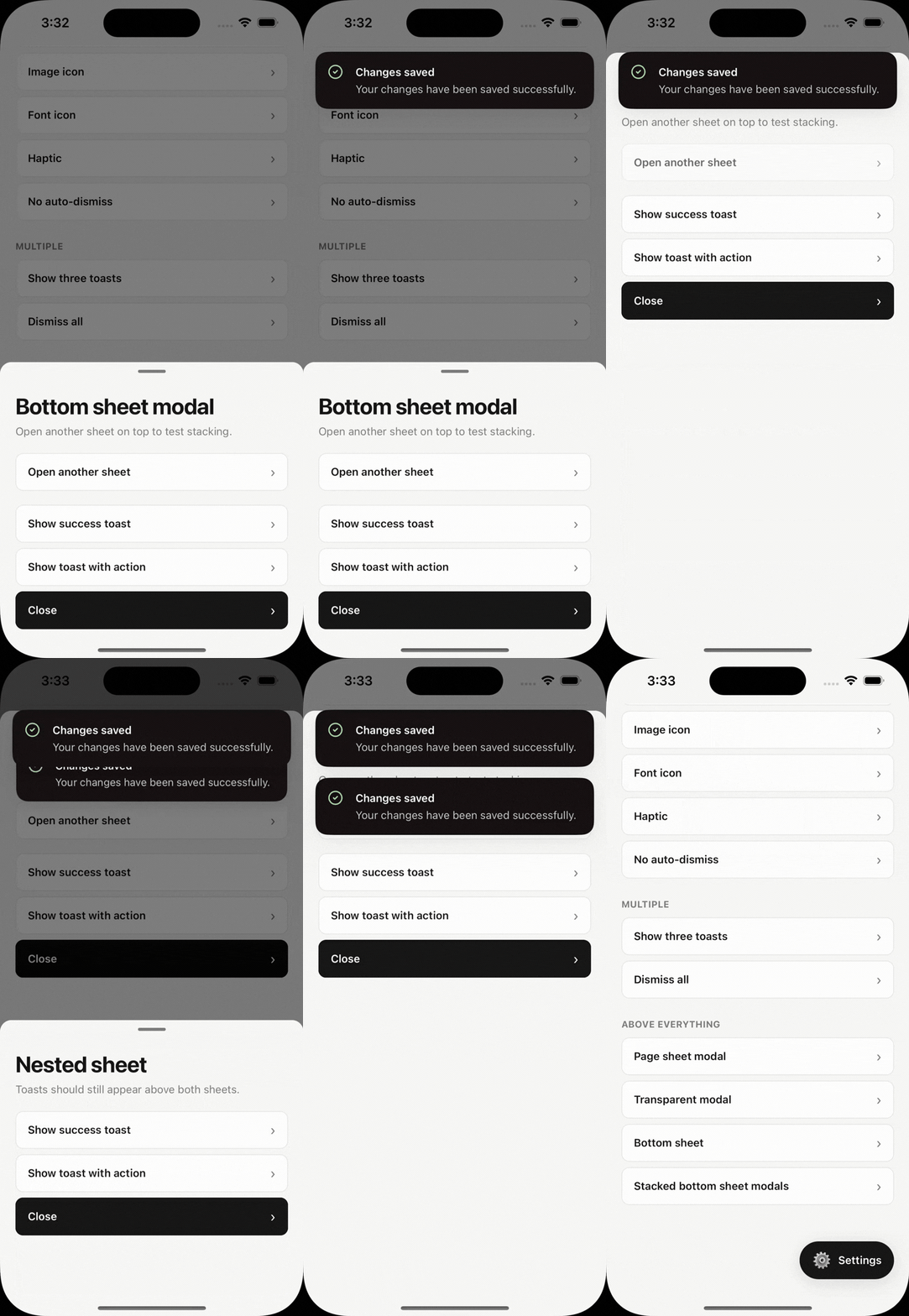
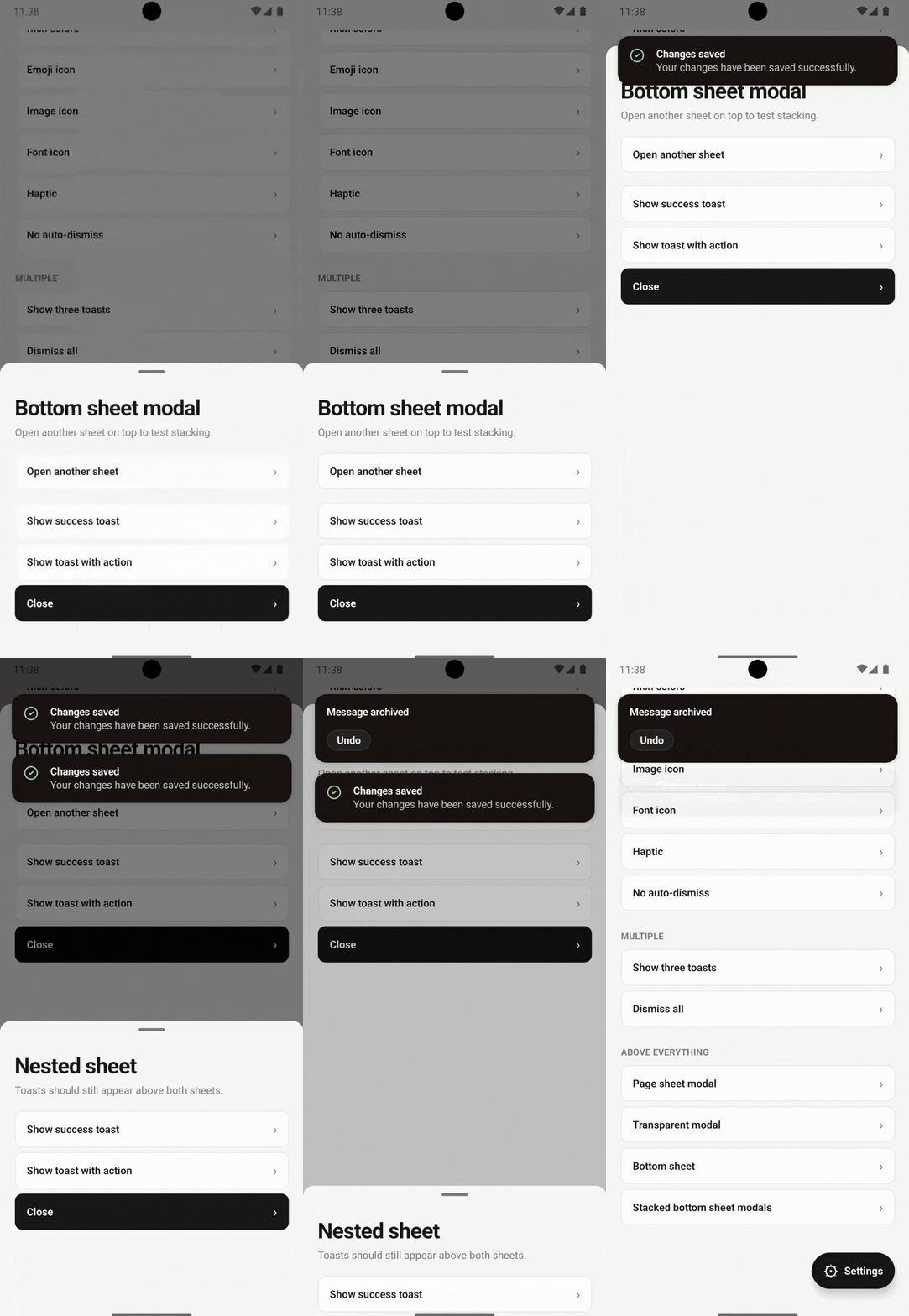
Bottom sheets & dialog windows
Toasts stay above bottom sheets and dialog windows.
In this recording
- 01A bottom sheet modal
- 02A second sheet stacked on top of it
- 03Several toasts listed above both sheets
Features
Everything a toast should do. Nothing it shouldn't.
Above everything
Visible over native modals, form sheets, and bottom sheets on both platforms.
One imperative API
Call toast() from anywhere. Mount a single <ToastHost /> once.
Every variant
success, error, warning, info, loading, and promise, with in-place updates.
Gestures built in
Swipe in any direction, stacked decks, expand on press, and wiggle.
Themeable
Light, dark, or system themes, rich colors, fonts, and image or glyph icons.
Zero dependencies
No Reanimated, Gesture Handler, Screens, or SVG. Just React Native.
Quick start
Mount once. Call from anywhere.
- 1. InstallAdd the package, then run pod install on iOS.
- 2. Mount ToastHostRender it once near the root of your app.
- 3. Call toast()From components, stores, or plain functions.
- Full installation guide
import { ToastHost, toast } from 'react-native-super-toast';

export default function App() {
  return (
    <>
      <YourApp />
      <ToastHost />
    </>
  );
}

toast.success('Saved', { description: 'Your changes are live.' });

toast.promise(uploadFile(), {
  loading: 'Uploading…',
  success: (file) => `${file.name} uploaded`,
  error: 'Upload failed',
});
Why & how
A toast that lives outside your view tree.
Most toasts are views inside the React tree. When iOS presents a modal controller or Android opens a dialog window, that tree is covered, and so is the toast. Super Toast moves rendering to the layer above.
JavaScript
toast() resolves options, theme, and host defaults into plain, serializable data.
iOS
Native views in an overlay UIWindow that sits above presented view controllers, modals, and sheets.
Android
A TurboModule presents each toast in its own non-focusable dialog window, drawn with native views.
Principles
Built on a different layer.
| View-tree toasts | Super Toast | |
|---|---|---|
| Where the toast renders | Inside the React view tree | In a native window above the view tree |
| Native modals & sheets | Can be covered by the presented controller | Stays on top |
| Runtime dependencies | Often an animation and gesture stack | None beyond React Native |
| Content model | Arbitrary JSX | Serializable data, rendered natively |
| Cross-platform styling | Any style, may drift per platform | A fixed style set that matches on iOS and Android |
Ship toasts that never hide.
Open source, MIT licensed.